Elumvia

Answer life's questions — cited and grounded in scripture.

Get personal with the Bible.

Try it today!

Why We Do What We Do

01

The Living Word

God's Word is alive. It has carried generations through darkness, and it speaks with the same power now as when its words were first set down. Many of us felt its weight the moment a Bible was placed in our hands — the sense that something eternal had been entrusted to us.

“For the word of God is quick, and powerful, and sharper than any twoedged sword … and is a discerner of the thoughts and intents of the heart.”

Hebrews 4:12

But the path into its depths isn't always clear. The book is vast — stories, laws, poetry, and letters stretched across languages and centuries. And within it lies the hope and salvation it was given to reveal.

“For whatsoever things were written aforetime were written for our learning, that we through patience and comfort of the scriptures might have hope.”

Romans 15:4

Without a way to begin, even sincere hearts stay on the surface, never reaching the promise beneath. So we built a companion to walk you in — and open the door wider.

02

For every reader, wherever you begin

Whether you're reading Scripture for the first time or returning after years of study, our purpose is the same: to help you step further in.

  • To recover the original force of a word.

  • To notice connections that were there all along.

  • To see a familiar passage with new eyes.

  • To hear it speak to the questions you're carrying today.

We don't tell you what to believe. We clear the way so you can discover more of what is already true.

“…they received the word with all readiness of mind, and searched the scriptures daily, whether those things were so.”

Acts 17:11

“Study to shew thyself approved unto God, a workman that needeth not to be ashamed, rightly dividing the word of truth.”

2 Timothy 2:15
03

Technology in service of discovery

The technology we use exists for one reason: discovery. It brings historical context, cultural background, and related passages within reach so the text can speak on its own terms.

It will never interpret God's will for your life, or stand between you and the quiet work of prayer and conviction. That space belongs to you.

“Howbeit when he, the Spirit of truth, is come, he will guide you into all truth.”

John 16:13

Think of it as a careful librarian — someone who has lived among these shelves, knows where every thread leads, and places the right volume in your hands, then steps back so the looking remains yours.

04

When the text comes alive

When the original setting is restored, something shifts. A parable carries the weight it held for its first hearers. Two distant texts begin to converse. Words that had grown smooth regain their edge. The book becomes what it has always been: a living place of encounter.

“Did not our heart burn within us … while he opened to us the scriptures?”

Luke 24:32

That is what we hope to give — not more information, but clearer sight. Not answers handed down, but the freedom to see God more fully in these pages, and to let what you see reshape how you live.

“All scripture is given by inspiration of God, and is profitable for doctrine, for reproof, for correction, for instruction in righteousness: that the man of God may be perfect, throughly furnished unto all good works.”
2 Timothy 3:16–17

What You Can Do

A new way to navigate and search the Bible.

01

Home

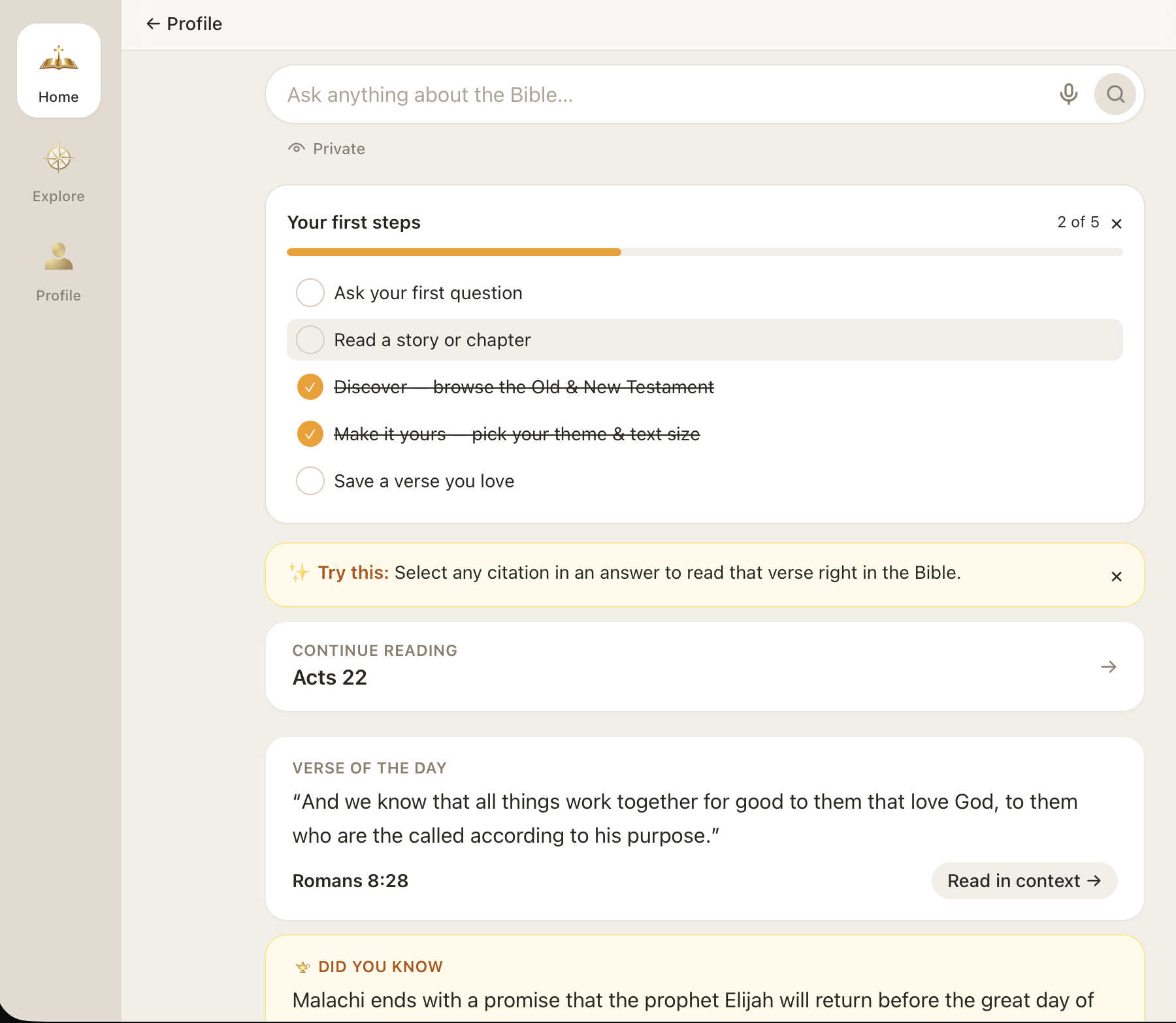
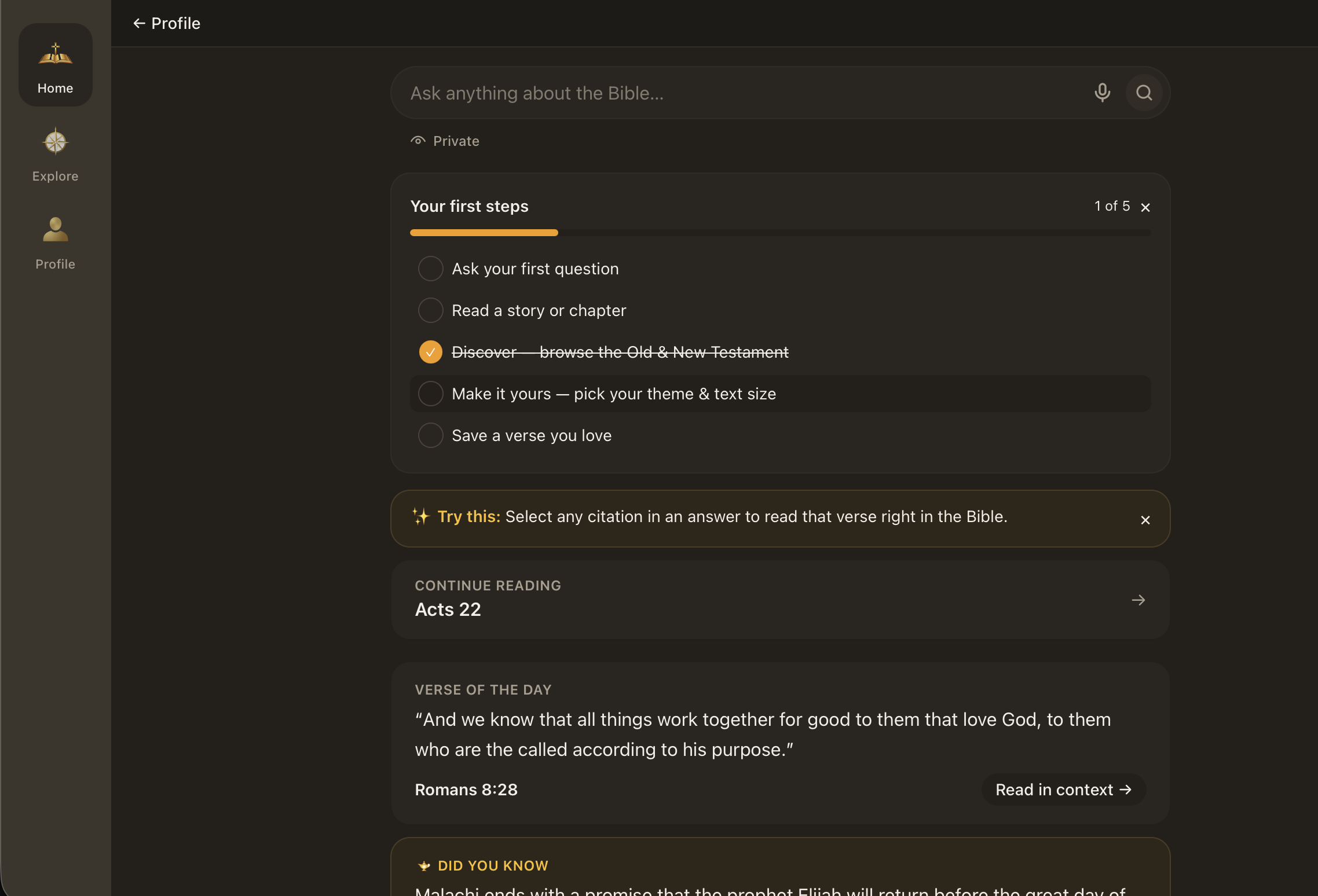
Home is where every visit starts. Ask in your own words, by typing or by voice, and tap a citation to read the verse in the chapter. Private mode lets you ask freely, and the question is not saved.

Continue reading takes you straight back to where you left off. Each day brings a verse of the day, with a way to read it in context, plus a Did You Know fact. If you’re new, first steps walks you through asking a question, reading a story, browsing the Old and New Testaments, choosing your theme and text size, and saving a verse you love.

Elumvia Home: ask anything about the Bible, with Private, first steps, continue reading, verse of the day, and Did You Know. Elumvia Home: ask anything about the Bible, with Private, first steps, continue reading, verse of the day, and Did You Know.

What Home Gives You

Start with your question
Ask just as you would — no book, chapter, or verse required.
Private when you want it
Ask questions freely without any history.
Pick up where you left off
Return to where you left off in one tap.
A daily verse
A verse of the day starts you off with some inspiration.
Did You Know
A glimpse that feeds curiosity and invites a deeper look.
A guided start
A five-step checklist and tips to try help you take full advantage of Elumvia.
Questions and themes
Start from a popular question, or open a theme if you don’t know what to ask. Recent questions stay on Home.
02

Explore

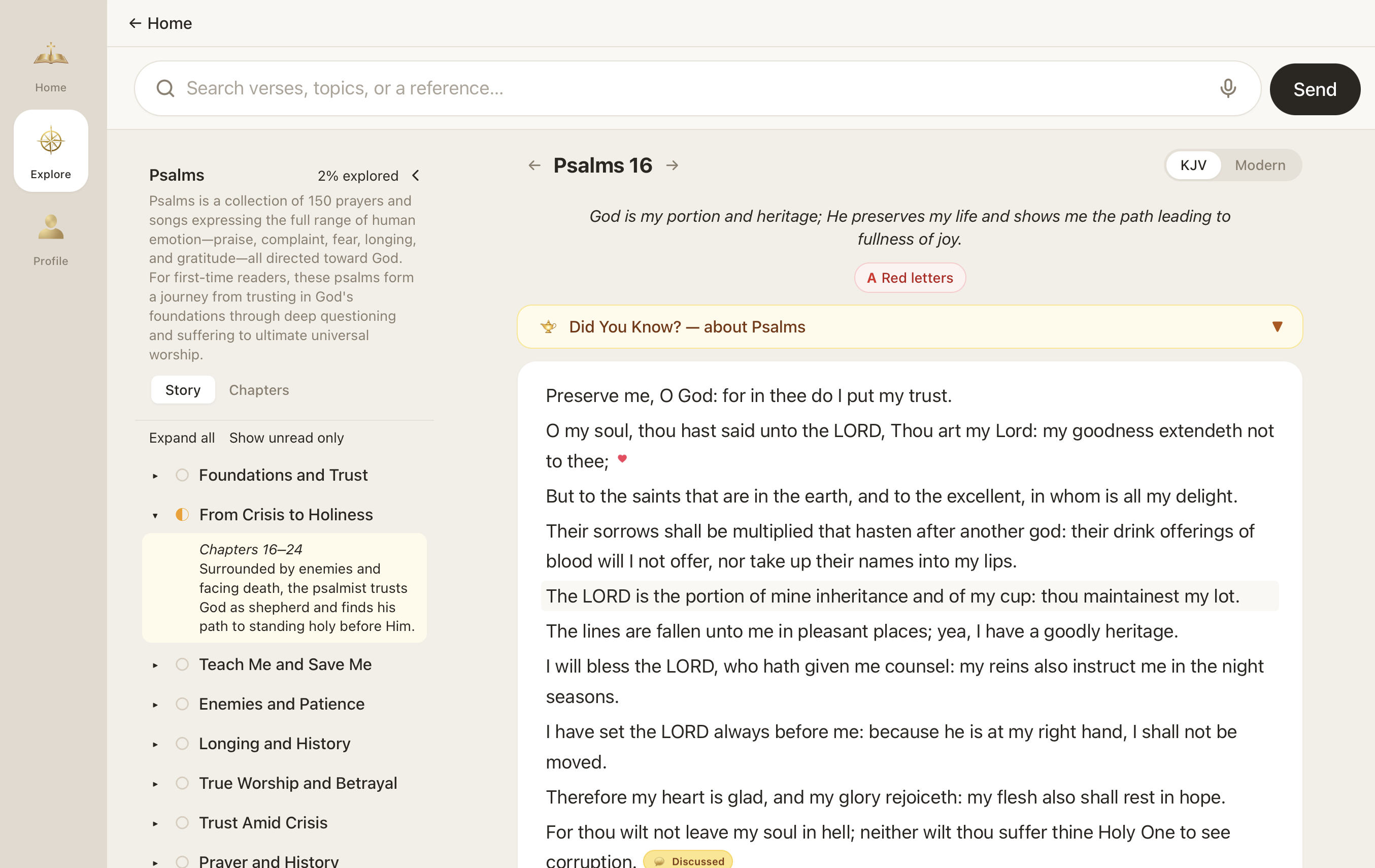
Explore is where you can browse by book and chapter — Popular Stories, For Kids, and more.

In the reader, follow a book by its story, with clear sections like “From Crisis to Holiness” and short summaries that tell you what’s ahead. Prefer to go chapter by chapter? That’s there too.

Save the verses you love, and share them with those who need inspiration. See what you have asked about, and watch your progress grow as you explore. Have a question mid-chapter? Ask it right from the reader without losing your place.

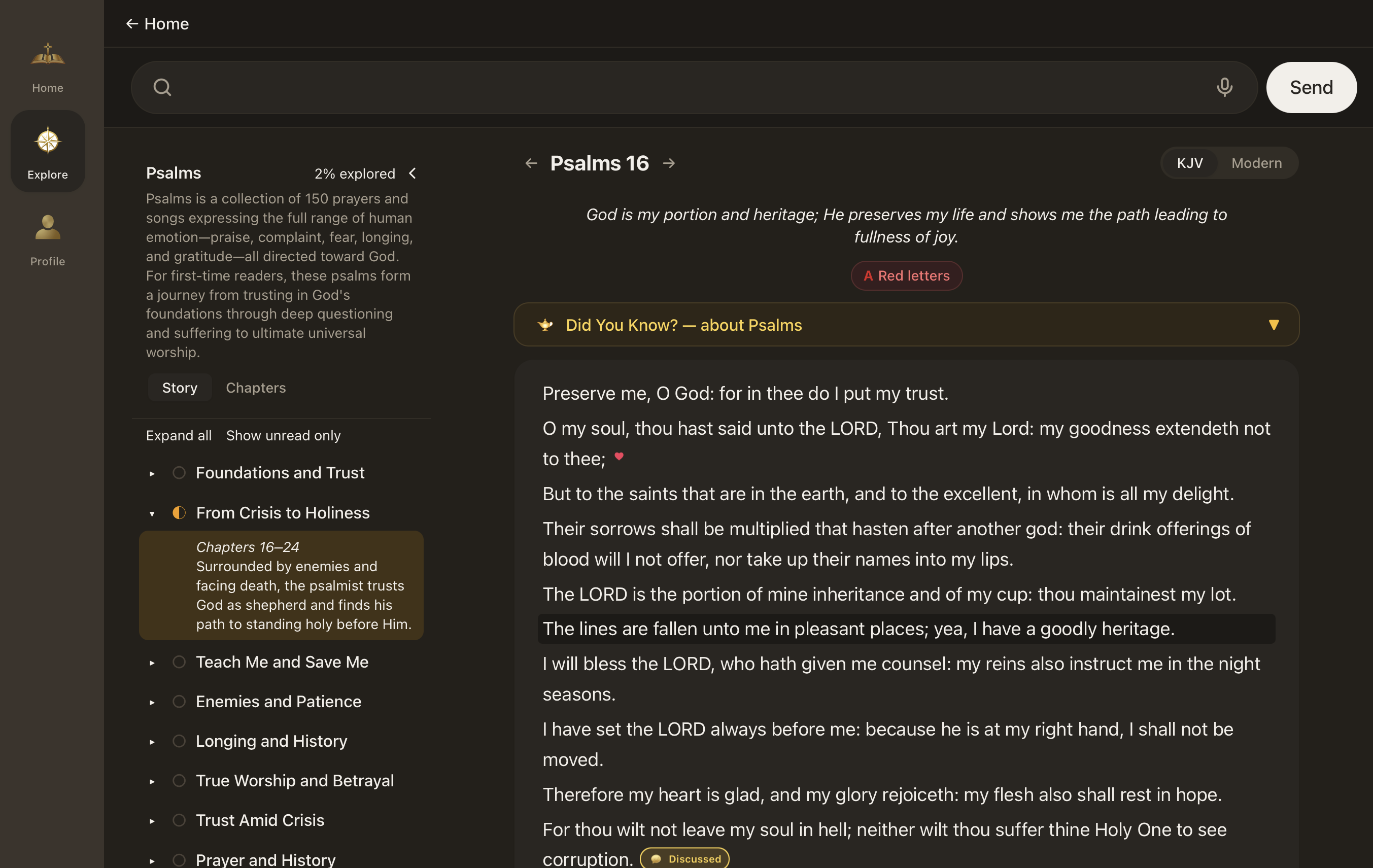
The Elumvia reader with a chapter open and the book’s stories listed beside the text. The Elumvia reader with a chapter open and the book’s stories listed beside the text.

What Explore Gives You

KJV and Modern, one tap
The toggle reads KJV or the Modern paraphrase.
Follow the story
Books are broken into themed sections with plain-language summaries, so you always know what you’re reading and why.
See your progress
Track how much of each book you’ve explored, and filter to show only what’s unread.
Context at your fingertips
Each book opens with a short introduction and a Did You Know note.
Red letters, on your terms
Turn on the words of Jesus in red (King James Version).
Save and revisit
Mark the verses that speak to you as favorites or bookmarks to save your spot in multiple places.
Continue the engagement
In the reader, the bar stays at the top. Follow-up questions sit at the bottom of a conversation.
03

Profile

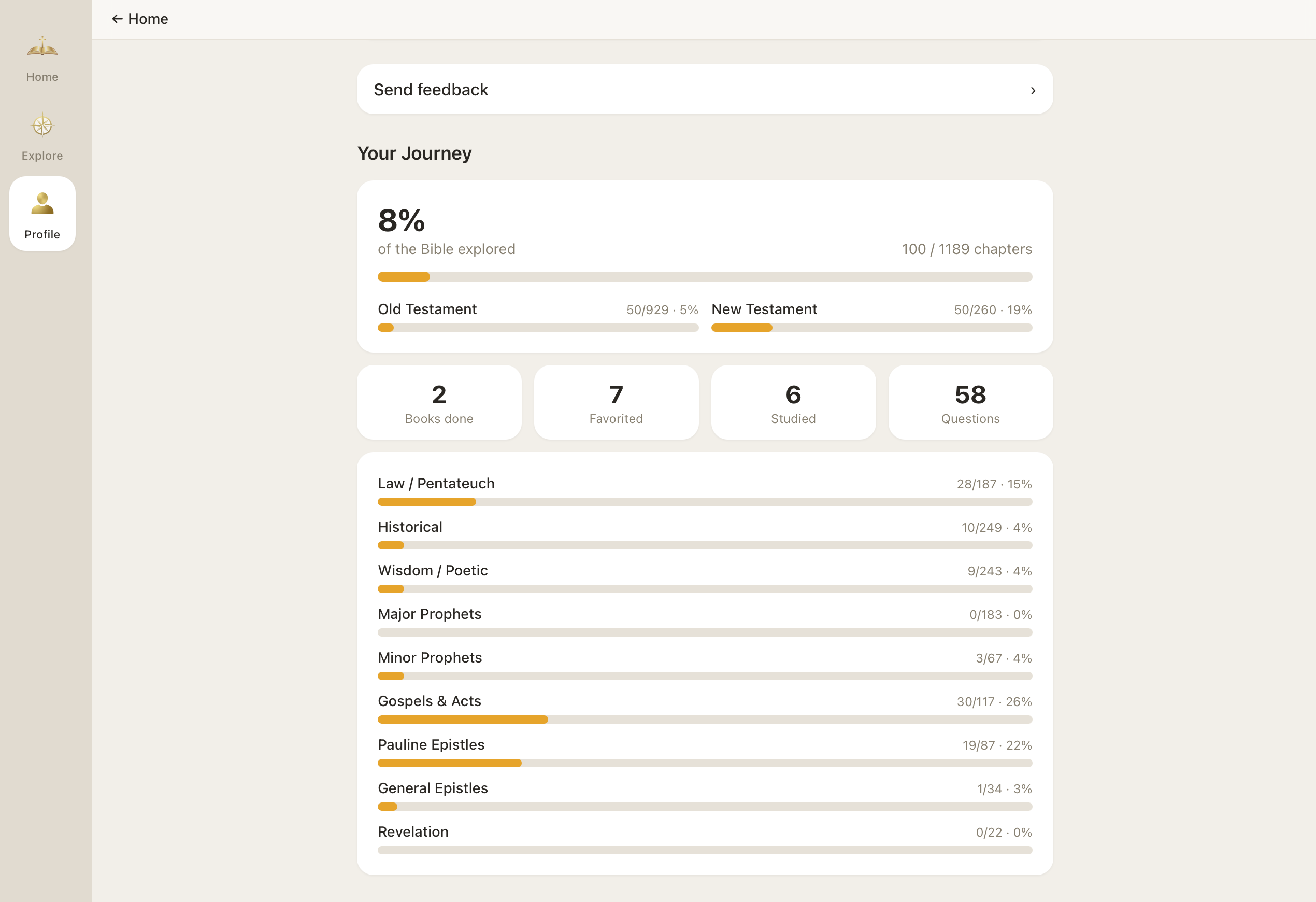
Profile provides customization and turns every chapter you open into a picture of where you have been. See how much of the Bible you’ve explored, and how far in the Old and New Testaments. Books you’ve finished, verses you’ve favorited, passages you’ve studied, and questions you’ve asked sit in one snapshot.

Progress follows the sections on Profile, from Law / Pentateuch through Revelation. Bookmarks hold more than the last chapter. It is a record, not a score. If something could be better, feedback is one tap away.

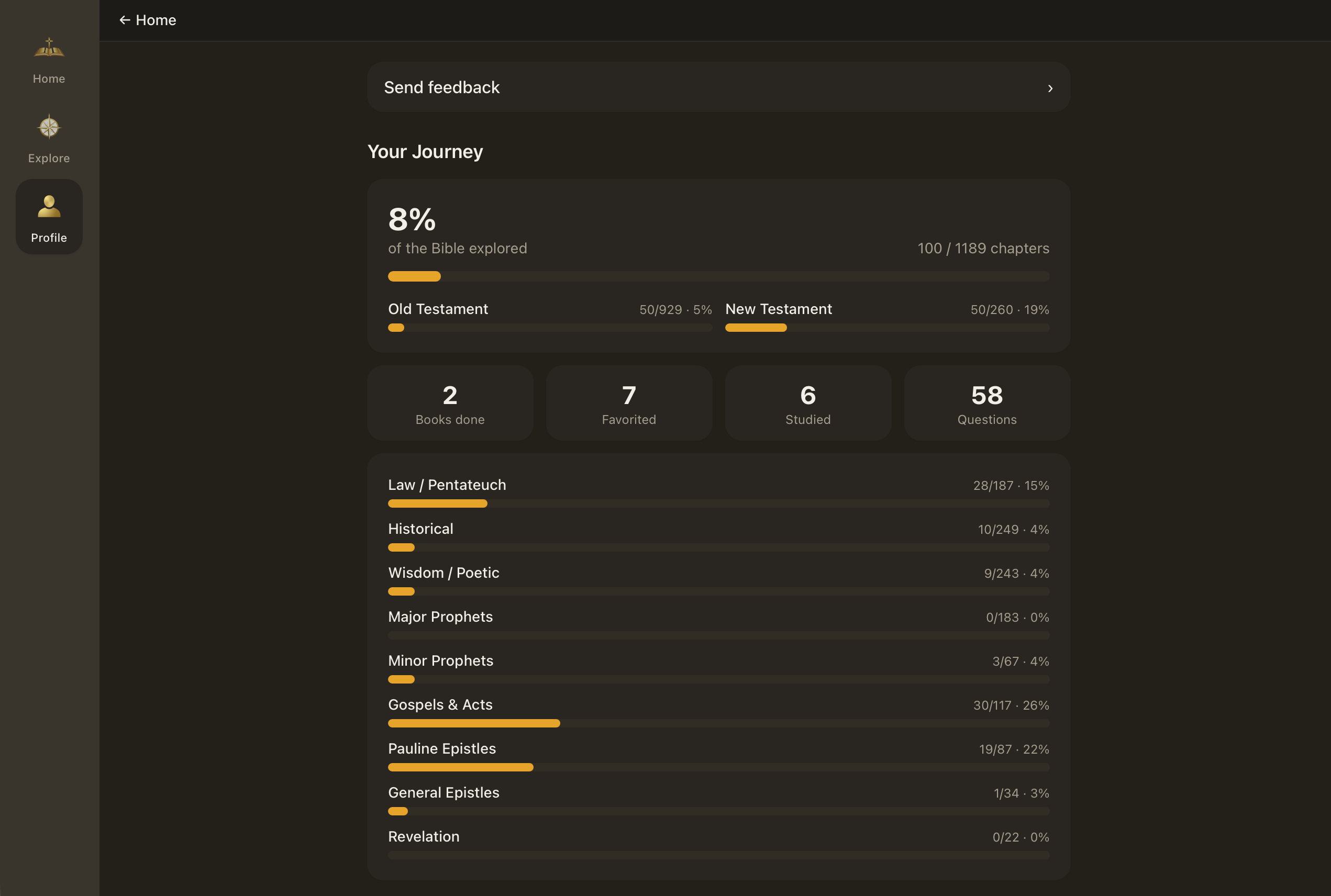
An Elumvia profile showing chapters opened, favorites, and questions asked. An Elumvia profile showing chapters opened, favorites, and questions asked.

What Profile Gives You

Customize responses to your liking
Adjust the depth of the AI model’s responses from simple to deep insights.
Adjust the theme
From light to dark mode, and font size, the view is in your control.
Share with others
Share Elumvia with a simple click. And remember, it is free to read.
Where you have read
The share of the Bible you’ve explored, and how many chapters you’ve opened.
Your snapshot
Books finished, verses favorited, passages studied, and questions asked — in one place.
Progress by section
Law / Pentateuch, Historical, Wisdom / Poetic, Major Prophets, Minor Prophets, Gospels & Acts, Pauline Epistles, General Epistles, and Revelation.
Bookmarks
Hold more than one place — not only the last chapter you were in.
How it reads
Simple, standard, or deeper answers. Light, dark, or the device. Text size. Verse numbers on or off.
A voice in what’s next
Send feedback from Profile.
Your data
Download what we hold, clear it, or delete the account.

What to know

Answers you may be looking for.

Getting started

What is Elumvia?

A free, web-based way to discover the Bible. What makes it unique is the ability to ask questions in your own words, read by story or by chapter, and track your progress as you go. It’s a carefully curated AI experience built for Bible discovery, and the King James text is always the text you read.

Does it cost anything?

No. The powerful Q&A and Explore are free to everyone. We are just getting started and plan advanced paid features.

Where can I use it?

You use it in your browser. An internet connection is required.

Does it work offline?

No. An internet connection is required.

Do I need an account?

When you log in with your email, your account is automatically created. Your email also lets the app personalize your experience, such as saving your place, your favorites, and your progress. No ads, no selling of information — just the Bible.

Is there a password?

Nope. We keep it simple. Enter your email and we’ll send you a sign-in link. Open the link to get in. There’s nothing to remember.

I’m new to the Bible. Where do I begin?

Exciting! Start on Home and ask the first question that comes to mind. Then, the “first steps” checklist walks you through asking your first question, reading a story or chapter, browsing the Old and New Testaments, choosing your theme and text size, and saving a verse you love.

Asking questions

How do I ask a question?

On Home, use the ask bar. On Explore, the bar is at the top. Type your question.

What can I ask?

Anything about the Bible. Ask in your own words. You don’t need to know a book, chapter, or verse.

How are answers generated?

Answers come from a carefully curated AI experience built for Bible discovery. Each answer includes citations so you can read the passage for yourself.

How can I check an answer?

Answers include citations. Tap any citation to read that verse right in the Bible.

Can I rely on the answers?

Treat answers as a guide into Scripture, not a replacement for it. Use the citations to read the text yourself and weigh what you find.

Are my questions private?

Turn on Private on the ask bar. That question is not saved.

Reading

What text does the reader use?

The King James Version (KJV). It is the text throughout the reader.

What is Modern Voice?

Modern Voice restates the King James in everyday language. The toggle in the reader says Modern. It’s a paraphrase aid to help you understand a passage. It is not Scripture and not a scholarly translation. The King James remains the text.

Is Modern a translation?

No. Modern is a paraphrase aid, not a translation. The King James remains the text.

How do I switch between KJV and Modern?

Use the KJV or Modern toggle at the top of the reader. Switch back to KJV any time.

What’s the difference between Story and Chapters?

Story groups a book into themed sections with short summaries, such as “From Crisis to Holiness” in Psalms, so you know what you’re about to read. Chapters lets you move through the book in order, with previous and next arrows.

What are red letters?

Red letters highlight the words of Jesus in the King James text. You can turn them on or off in the reader.

Can I pick up where I left off?

Yes. The “Continue reading” card on Home takes you back to your last chapter in one tap.

Can I change how the app looks?

Yes. Choose your theme and text size.

Can I save verses I love?

Yes. Favorite any verse, and your favorites are counted on your Profile.

Can I see only what I haven’t read yet?

Yes. In the reader, choose “Show unread only” to focus on what’s left in a book. “Expand all” opens every section at once.

Can I ask a question while I’m reading?

Yes. In the reader, the bar stays at the top, so you can ask without leaving the passage. Follow-up questions sit at the bottom of a conversation.

What are Verse of the Day and “Did You Know”?

On Home, each day features a verse with a “Read in context” link that opens the full passage. “Did You Know” notes add a bit of background, and each book in the reader has its own.

Progress and Profile

How does the app track my progress?

Your Profile shows the percentage of the Bible you’ve explored and how many chapters you’ve covered. It also shows progress for the Old and New Testaments.

What sections does Profile break progress into?

Law / Pentateuch, Historical, Wisdom / Poetic, Major Prophets, Minor Prophets, Gospels & Acts, Pauline Epistles, General Epistles, and Revelation.

What do Books done, Favorited, Studied, and Questions mean?

They’re your milestones: books you’ve completed, verses you’ve favorited, passages you’ve studied, and questions you’ve asked.

Your email and data

What do you do with my email?

Your email is used to sign you in and to personalize your experience, such as saving your place, favorites, and progress. We never share your email with third parties.

Support and feedback

How do I share feedback?

Go to Profile and tap “Send feedback.” We’d love to hear what’s working and what could be better.

Who operates Elumvia?

Resonate Works, LLC operates Elumvia. For help, write to [email protected].

Elumvia

“Thy word is a lamp unto my feet, and a light unto my path.”

Psalm 119:105
Read it for yourself